
PDF Insurance Report
What’s in the Report
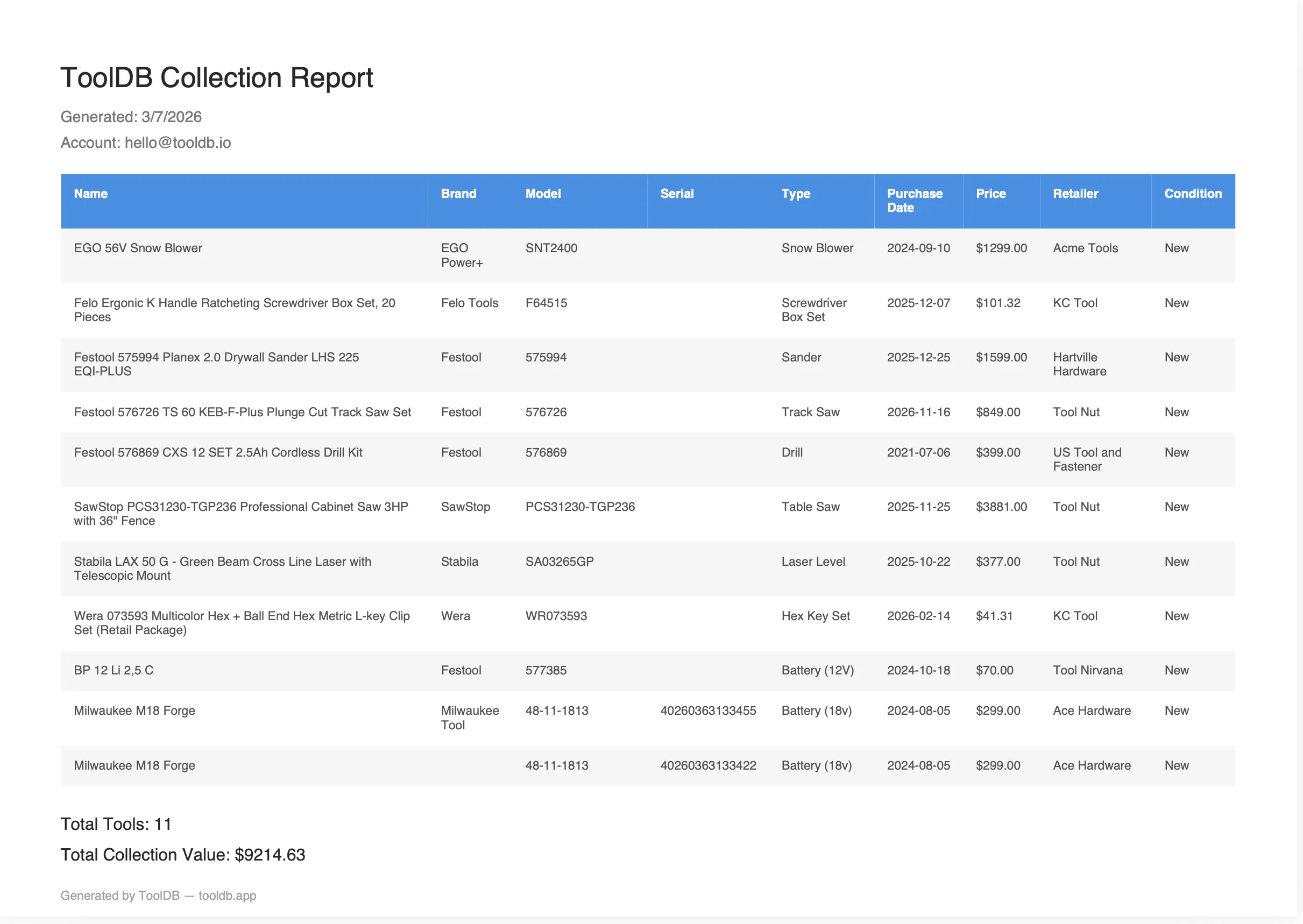
Section titled “What’s in the Report”The PDF report includes:
- Your email and the generation date
- A complete table of all tools and batteries
- Brand, model number, and serial number for each item
- Purchase date and price
- Condition and location
- Total collection value
Generating a Report
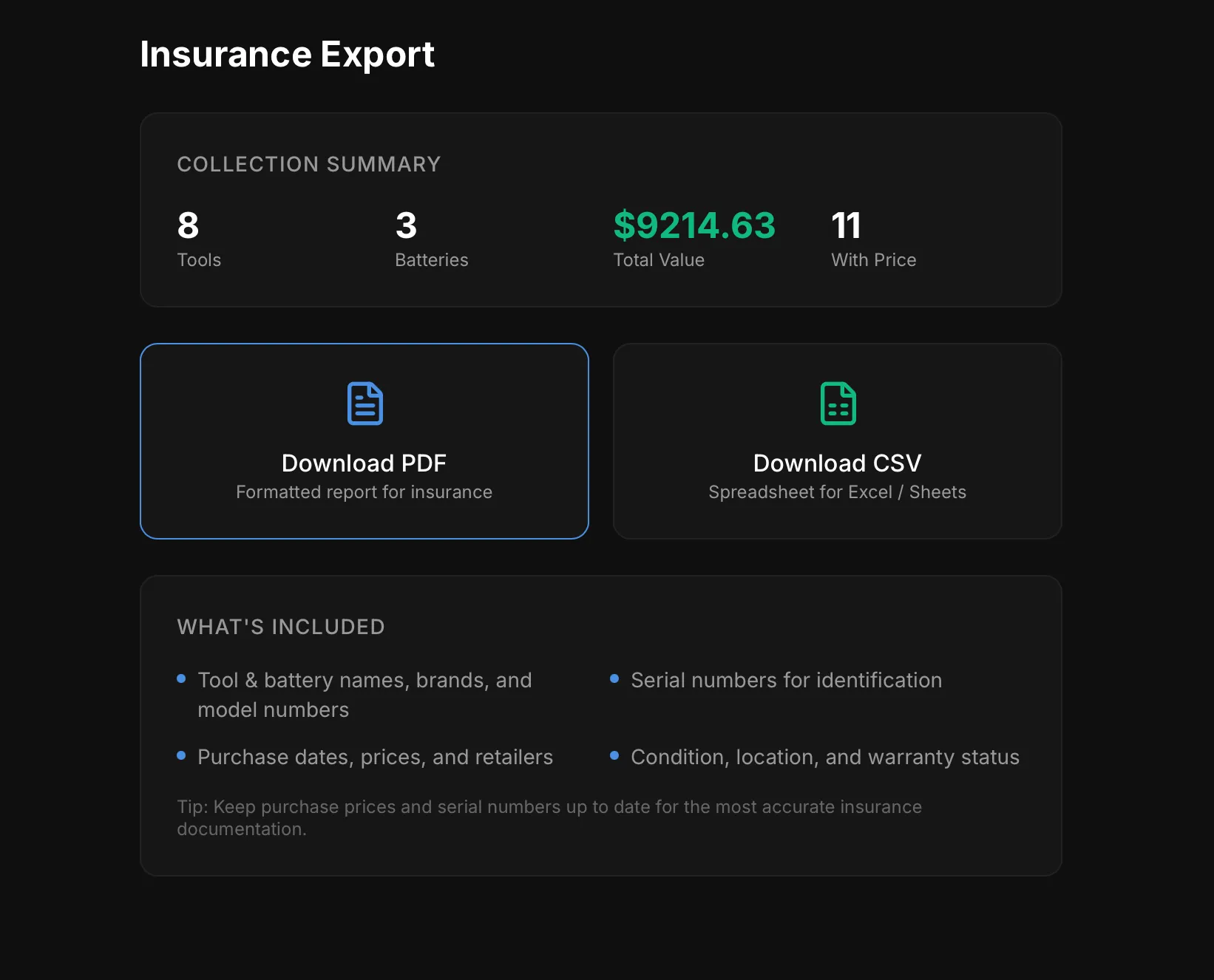
Section titled “Generating a Report”- Go to Export (bottom nav or sidebar)
- Review the collection summary
- Tap Download PDF
- The PDF downloads to your device
Using the Report
Section titled “Using the Report”Share this document with:
- Your insurance agent — as proof of ownership and value
- Your insurance company — when filing a claim
- Yourself — as a backup of your inventory
- Re-export after adding new tools to keep the report current
- Store a copy in cloud storage (Google Drive, iCloud, Dropbox) so it survives if your devices are lost
- Email a copy to yourself as an extra backup
- Include serial numbers and prices for the strongest documentation