
Generating an Insurance Report
Accessing the Export Page
Section titled “Accessing the Export Page”Tap Export in the bottom navigation (mobile) or sidebar (desktop).
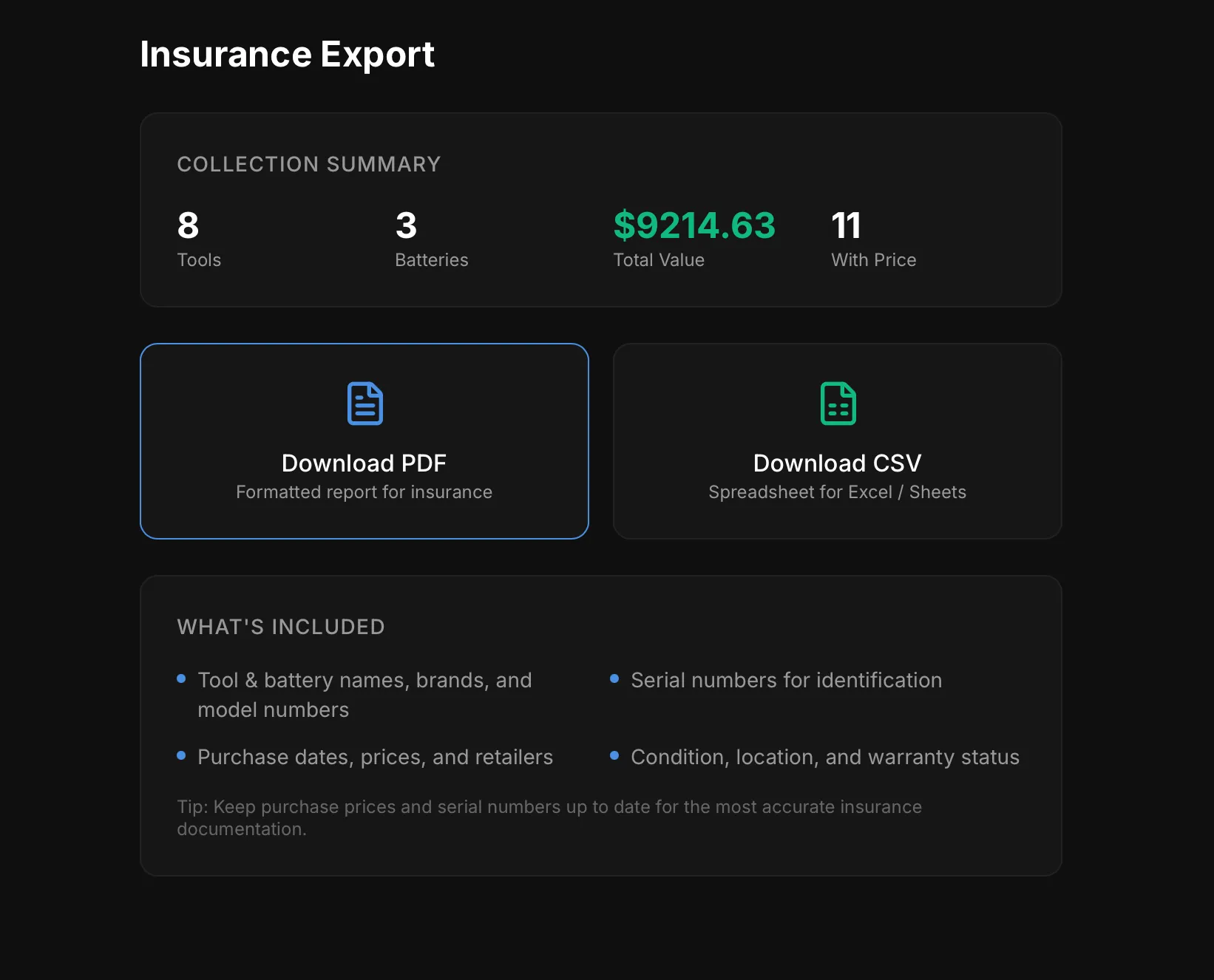
You’ll see a summary of your collection: total tools, batteries, total value, and items with prices recorded.
PDF Report
Section titled “PDF Report”Tap Download PDF to generate a formatted insurance report. The PDF includes:
- Your name and email
- Generation date
- Complete list of tools and batteries
- Brand, model number, and serial number for each item
- Purchase price and date
- Condition and location
- Total collection value
This is the document you’d provide to your insurance company when filing a claim or requesting a scheduled endorsement.
CSV Export
Section titled “CSV Export”Tap Download CSV to export a spreadsheet with all your collection data. This is useful for:
- Opening in Excel or Google Sheets
- Creating your own custom reports
- Backing up your data
- Sharing with an insurance agent in a format they can work with
- Keep purchase prices up to date for the most accurate total value
- Include serial numbers — they’re critical for theft claims
- Re-export periodically and save a copy somewhere safe (cloud storage, email to yourself)
- Consider sharing the PDF with your insurance agent proactively, before you need to make a claim