Setting Up Alerts
ToolDB can send you email alerts before a warranty expires so you never miss the window.
Configuring Alerts
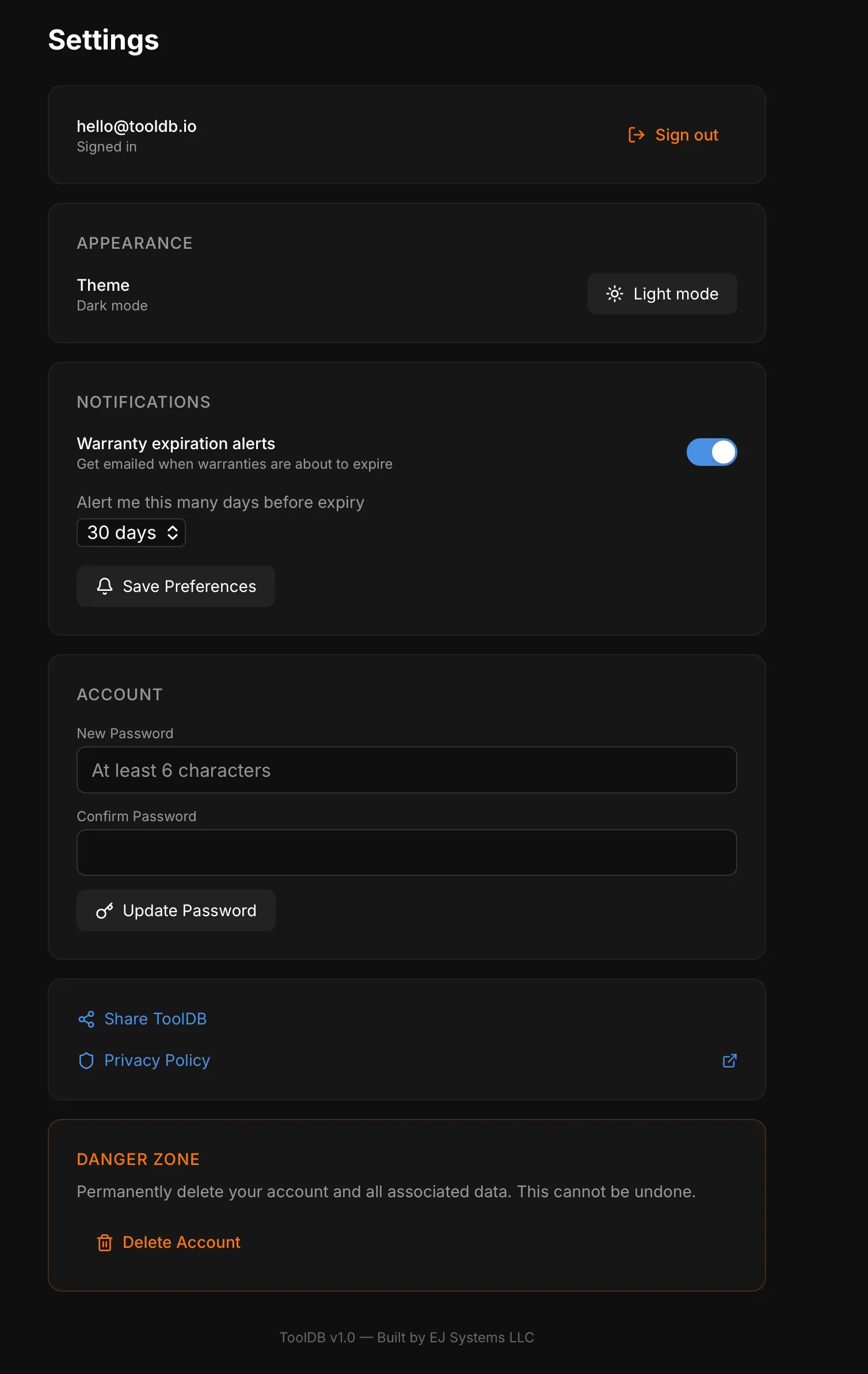
Section titled “Configuring Alerts”- Go to Settings
- Find the Notifications section
- Toggle Warranty expiration alerts on
- Choose how many days in advance you want to be notified:
- 7 days
- 14 days
- 30 days (default)
- 60 days
- 90 days
- Tap Save Preferences
How It Works
Section titled “How It Works”When a tool or battery’s warranty expiry date is within your configured window, ToolDB sends an email to your account’s email address with the tool name and expiry date.
- 30 days is a good default — enough time to decide if you need to file a claim or buy a replacement
- Make sure your tools have warranty expiry dates entered for alerts to work
- You can see all expiring warranties at a glance on the Analytics dashboard